

UX Case Study • Mobile App Design
UNiWays UX Design Project
Project Overview
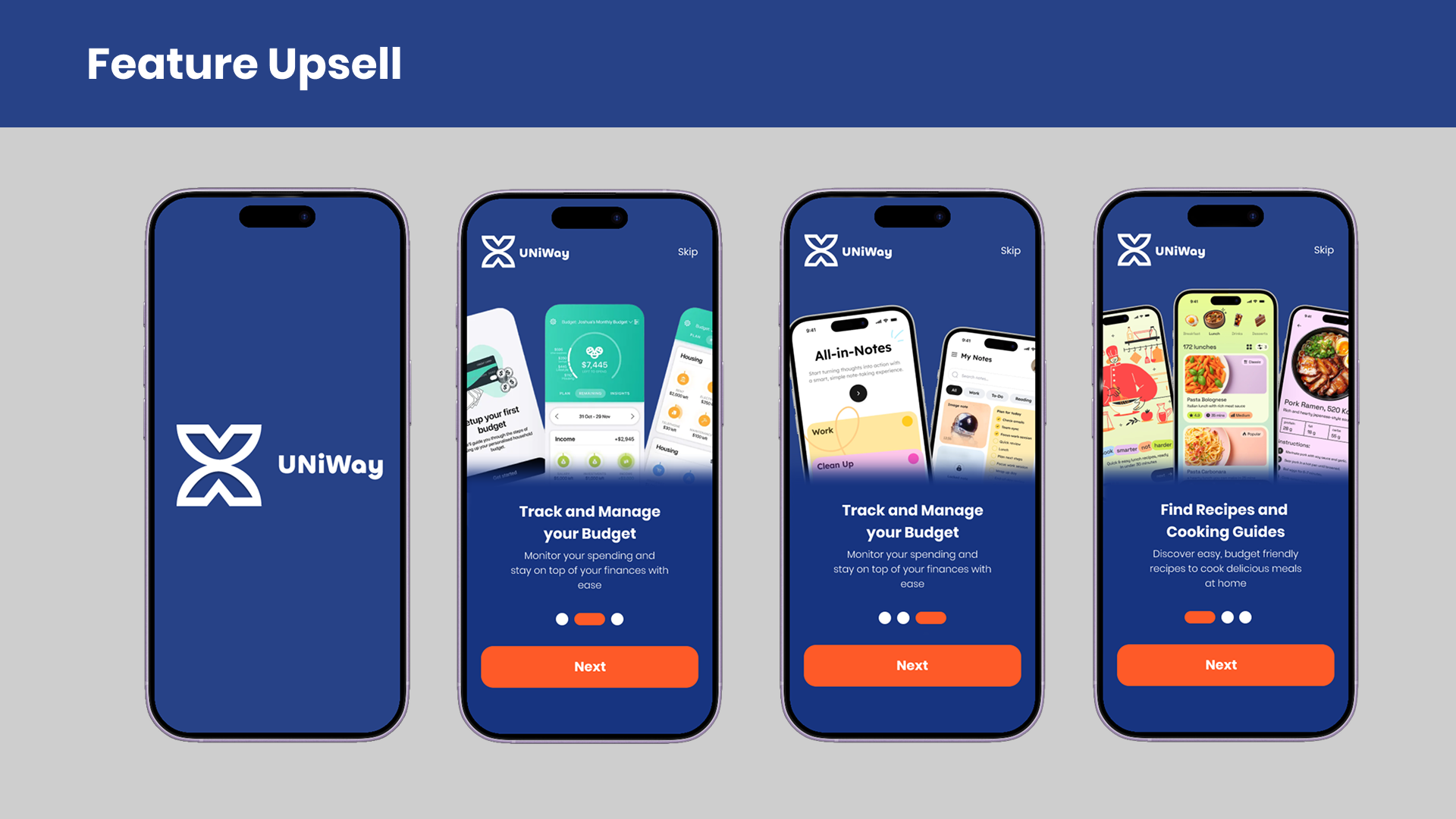
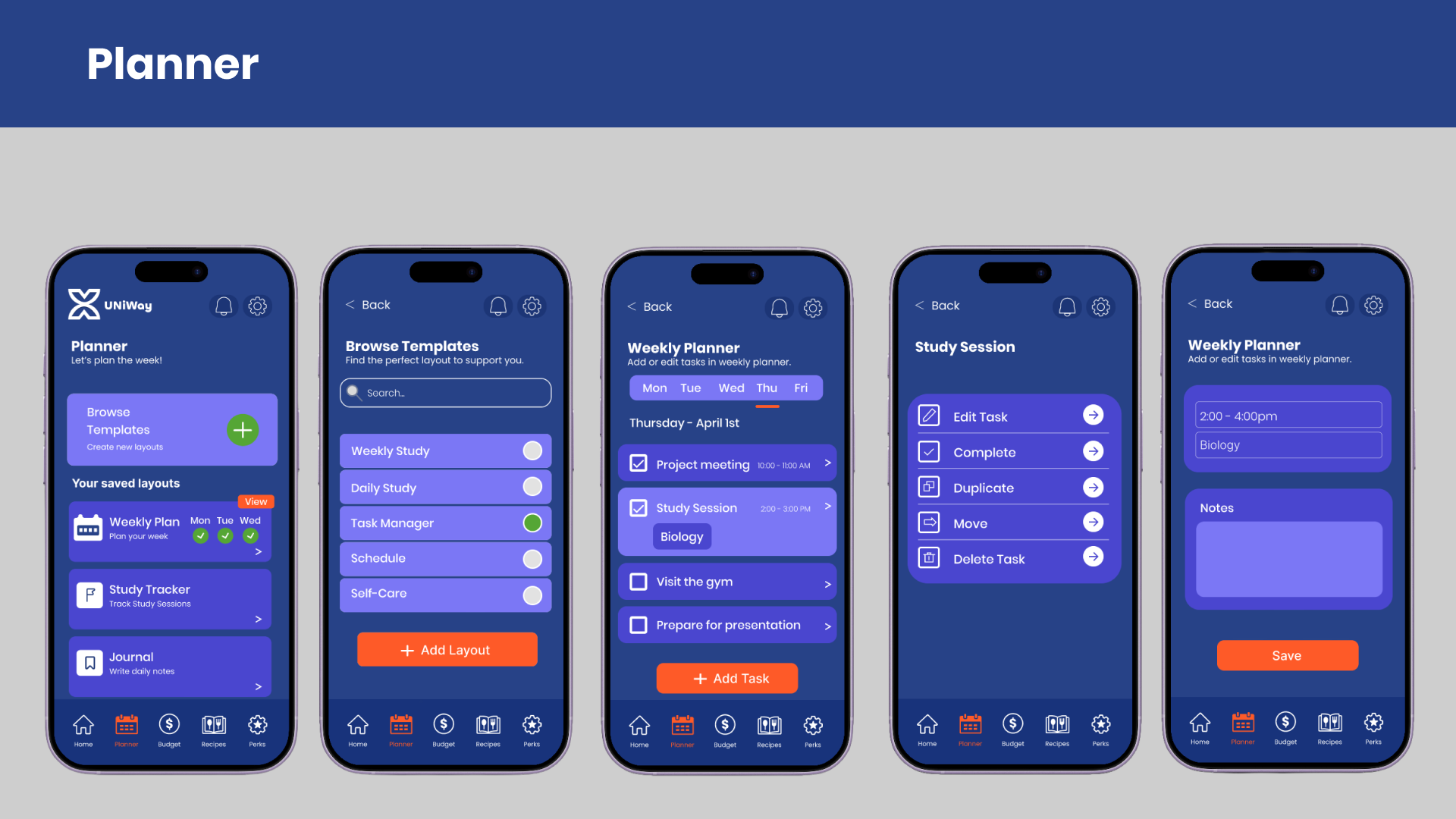
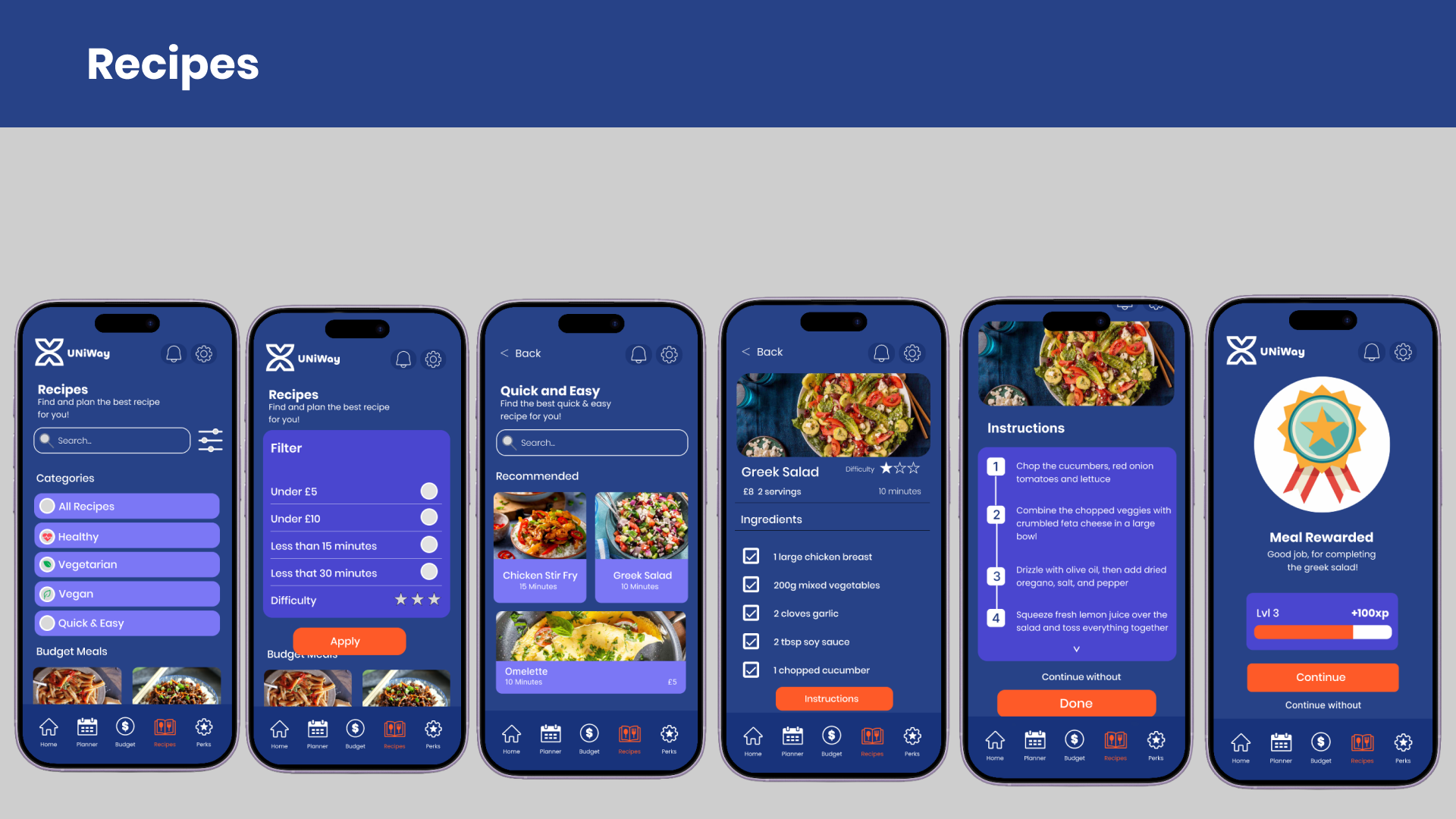
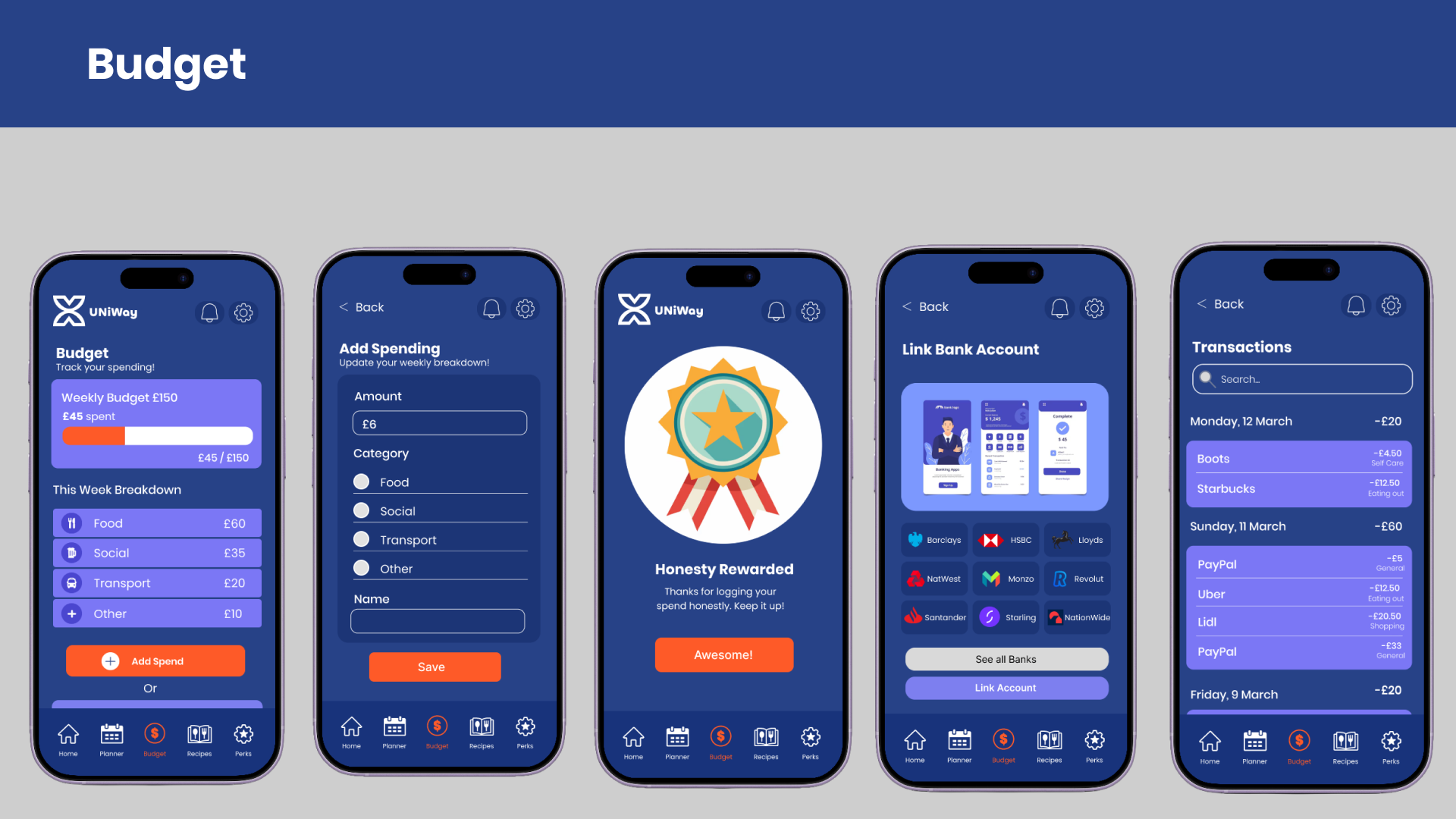
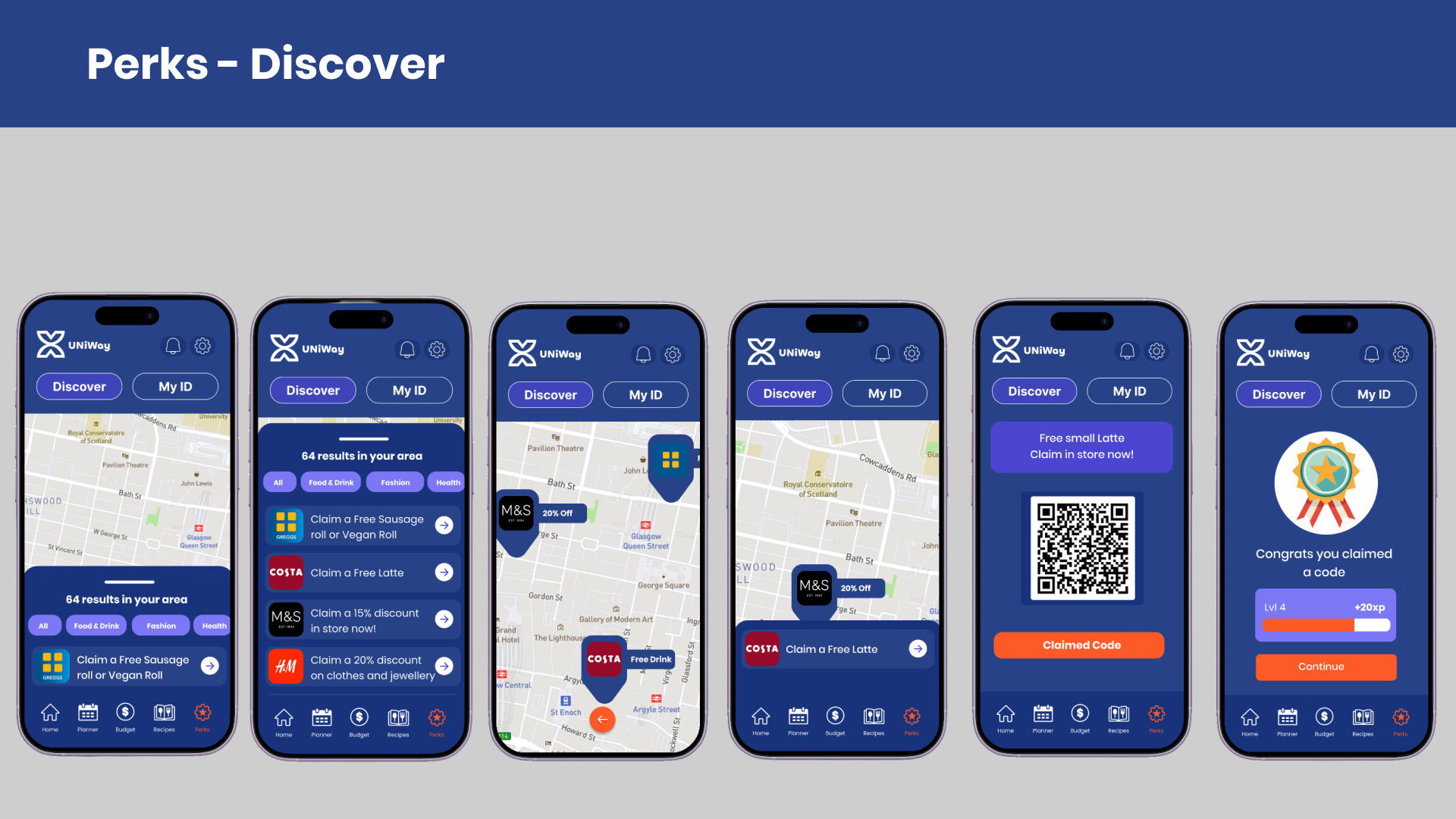
UNiWays is a mobile app designed to help first year university students develop independent living skills through practical tools and motivational UX techniques. Created as my final year honours project, the app was shaped by user research, iterative design, and usability testing to support budgeting, cooking, time management, and healthy routines.
The Challenge
Moving away from home for university is a big change and often comes with responsibilities that many students aren't fully prepared for. Things like managing money, cooking for yourself, keeping on top of daily routines and balancing university work can quickly become difficult. Although there are plenty of apps that help with individual tasks, there isn't one that brings everything together in a way that's designed around the everyday needs of students learning to live independently.
The Goal
The aim of UNiWays was to create a mobile app that helps students manage the challenges of independent living. Instead of trying to do too much, the app focuses on useful everyday tools that support tasks like budgeting, cooking and building routines. By using motivational UX features, it encourages users to develop positive habits and makes everyday responsibilities feel more manageable over time.
Research
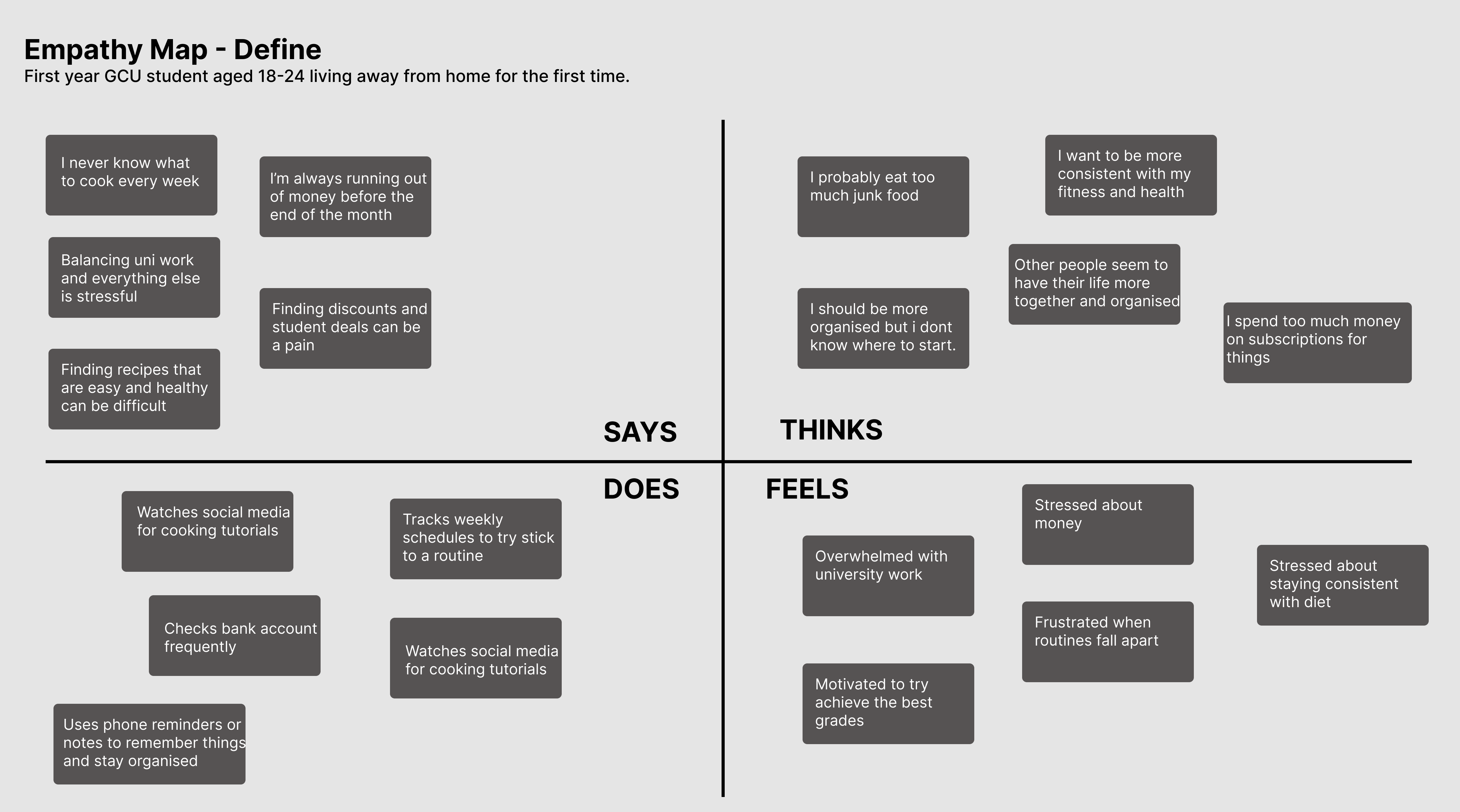
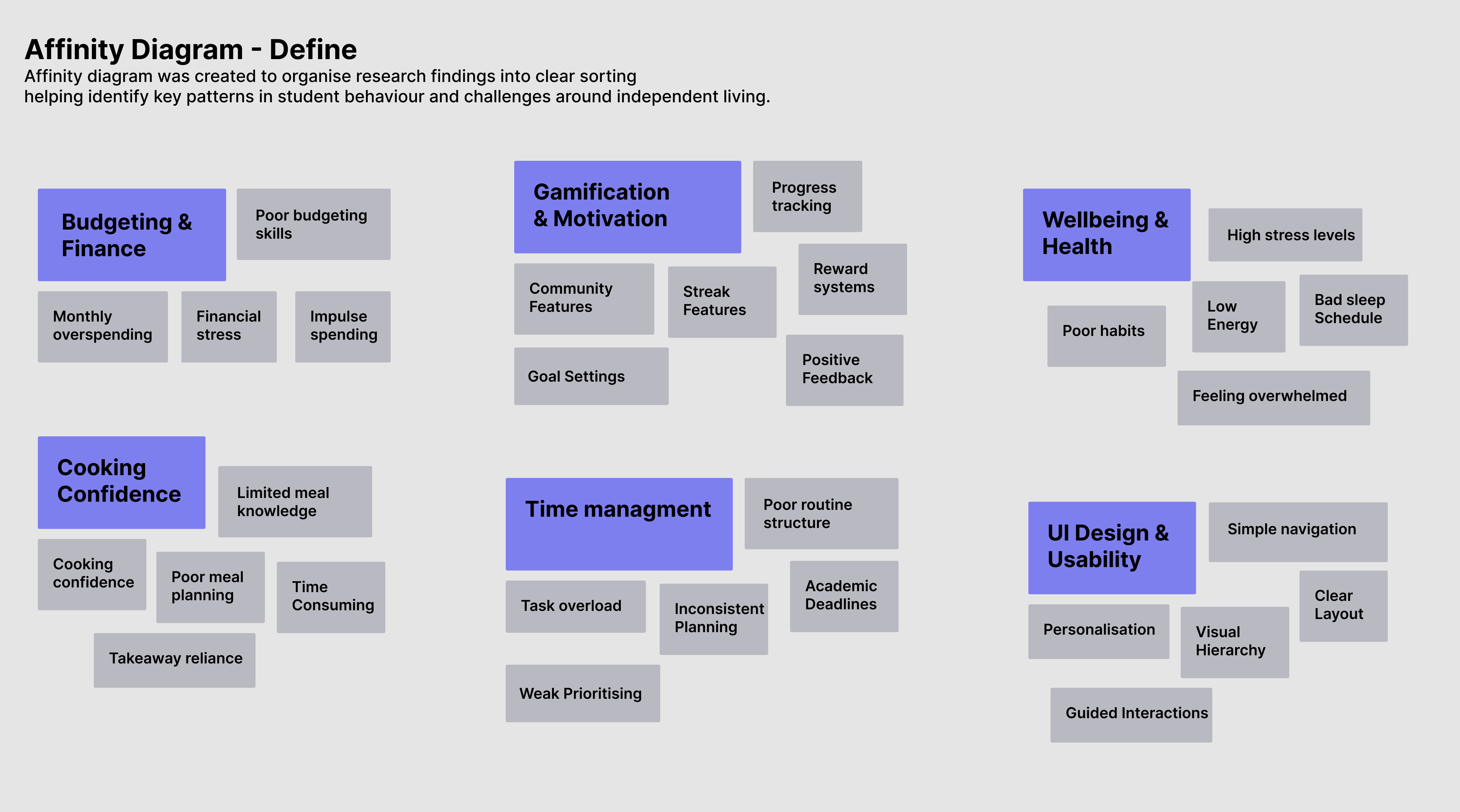
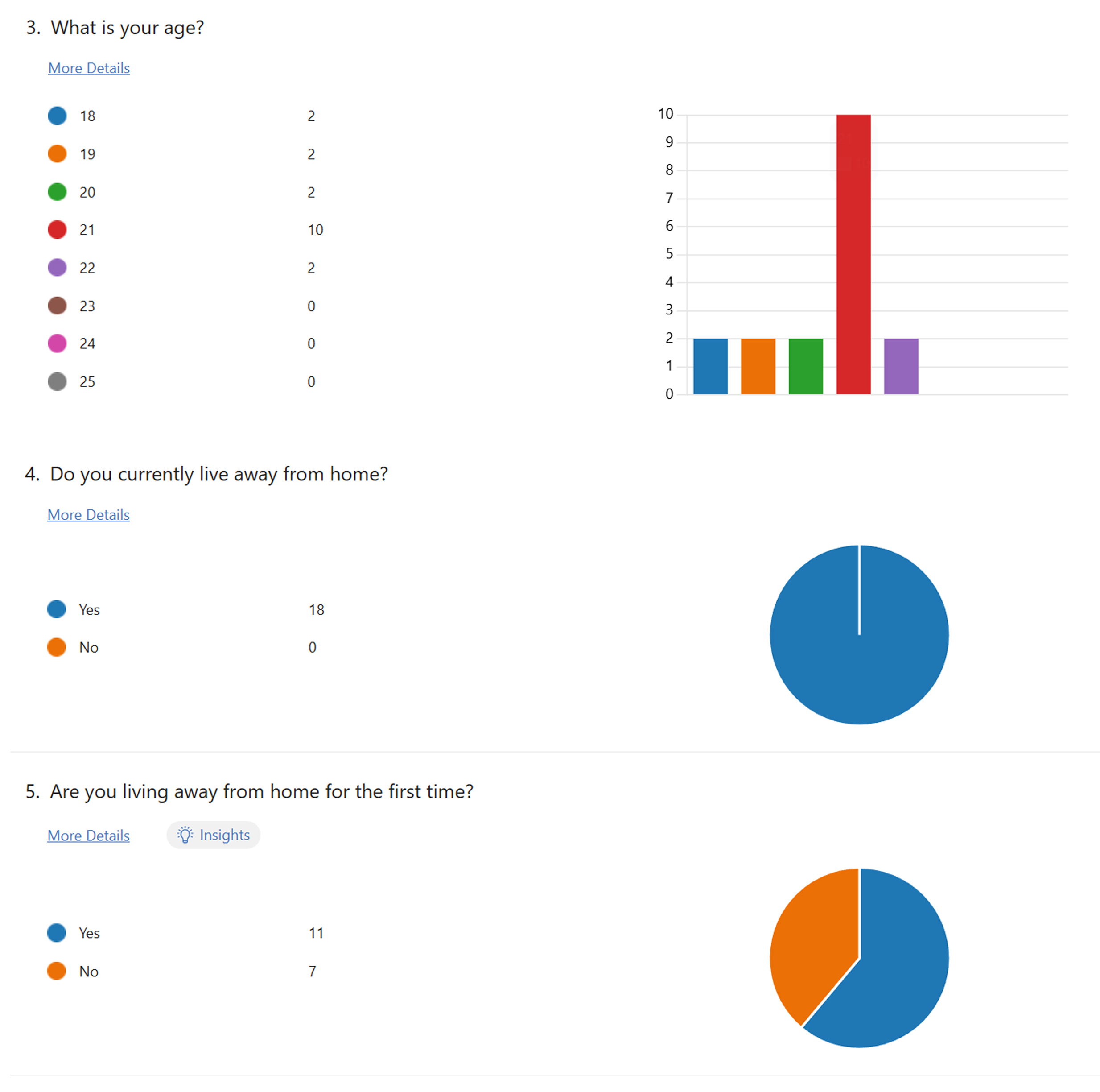
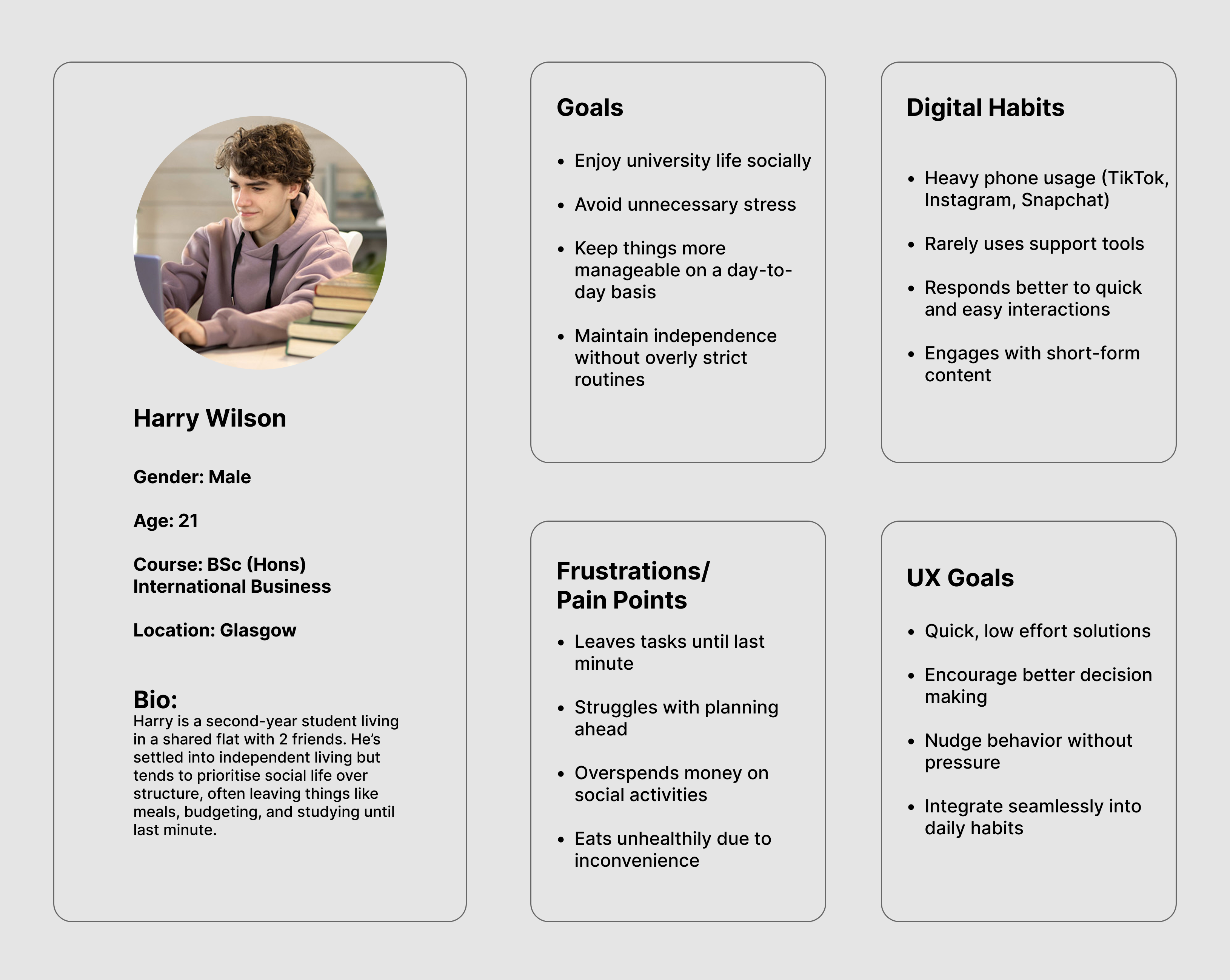
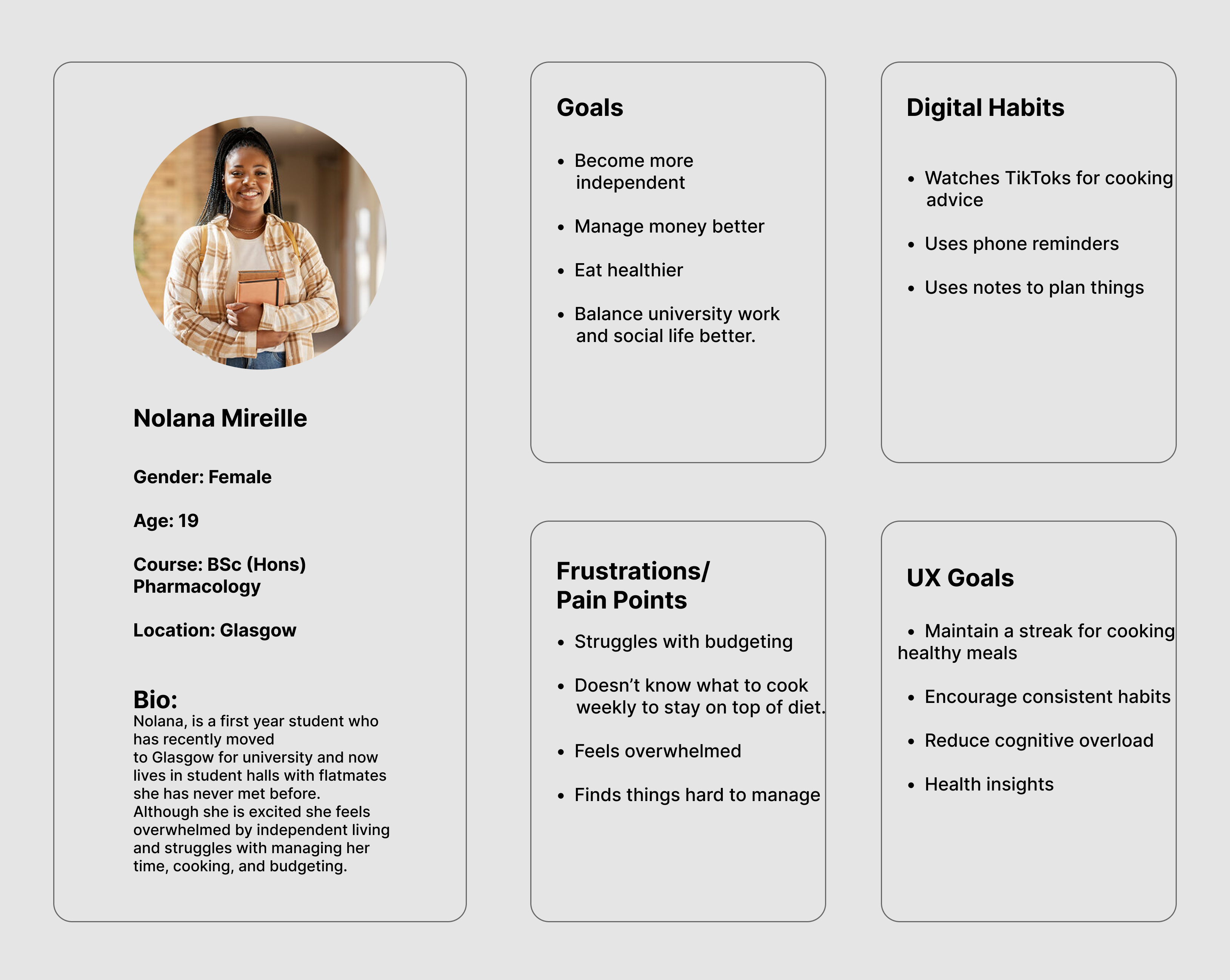
To understand the challenges students face when moving away from home, I carried out surveys, interviews and usability testing with university students. This helped me identify the problems they struggled with most, what they felt was missing from existing apps and the features they would find most useful. These insights shaped the overall structure, features and user experience of the app.
User Personas
User Flow
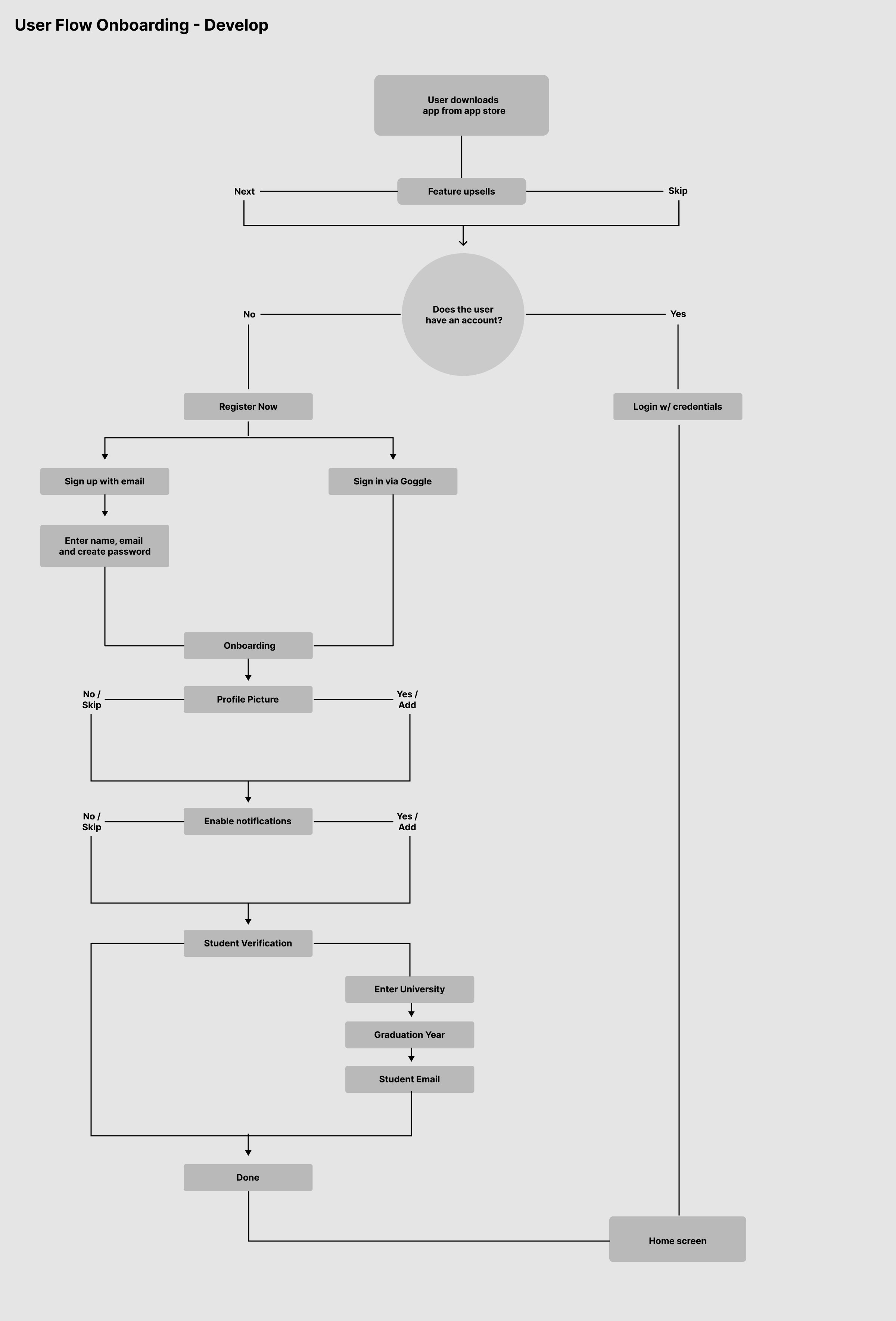
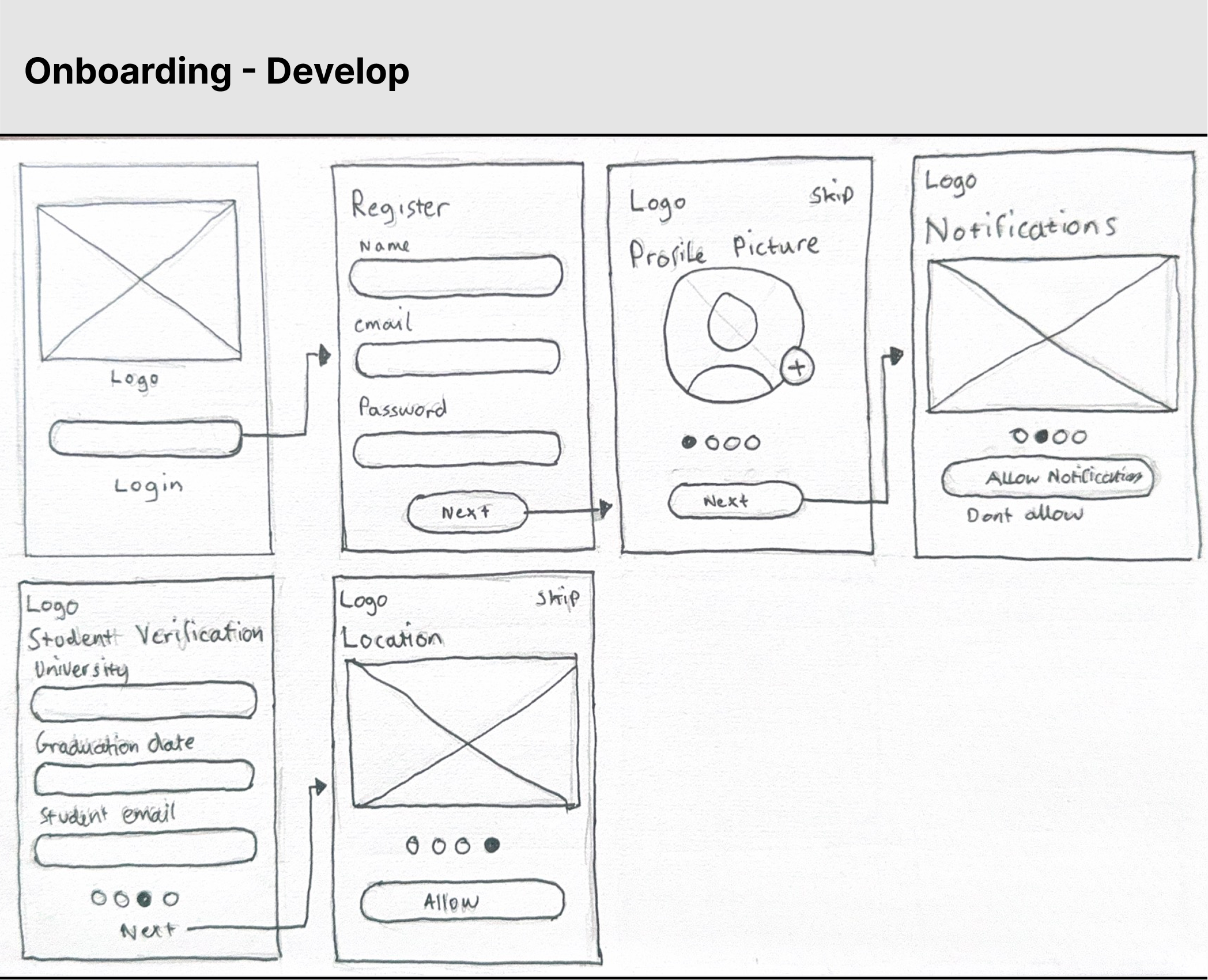
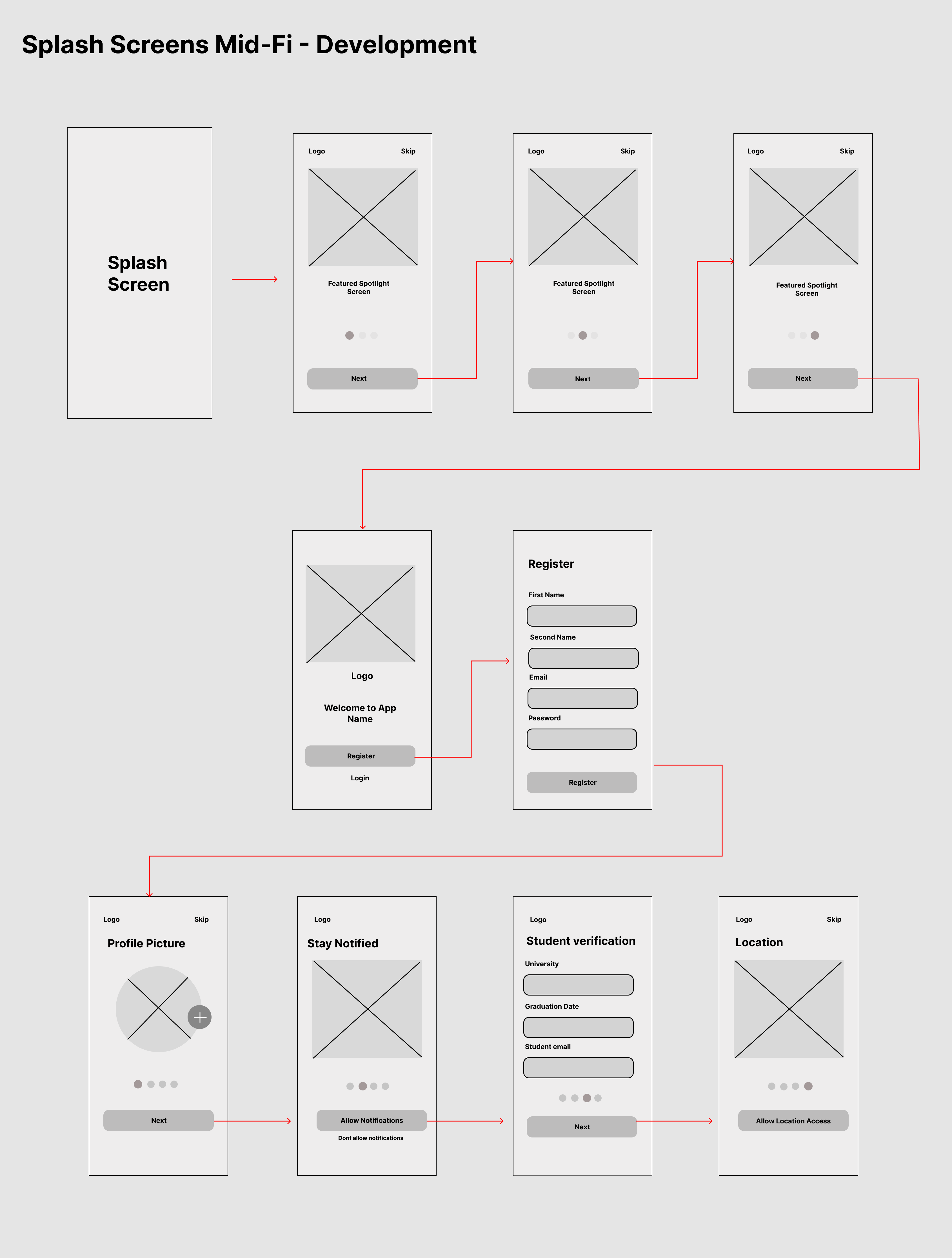
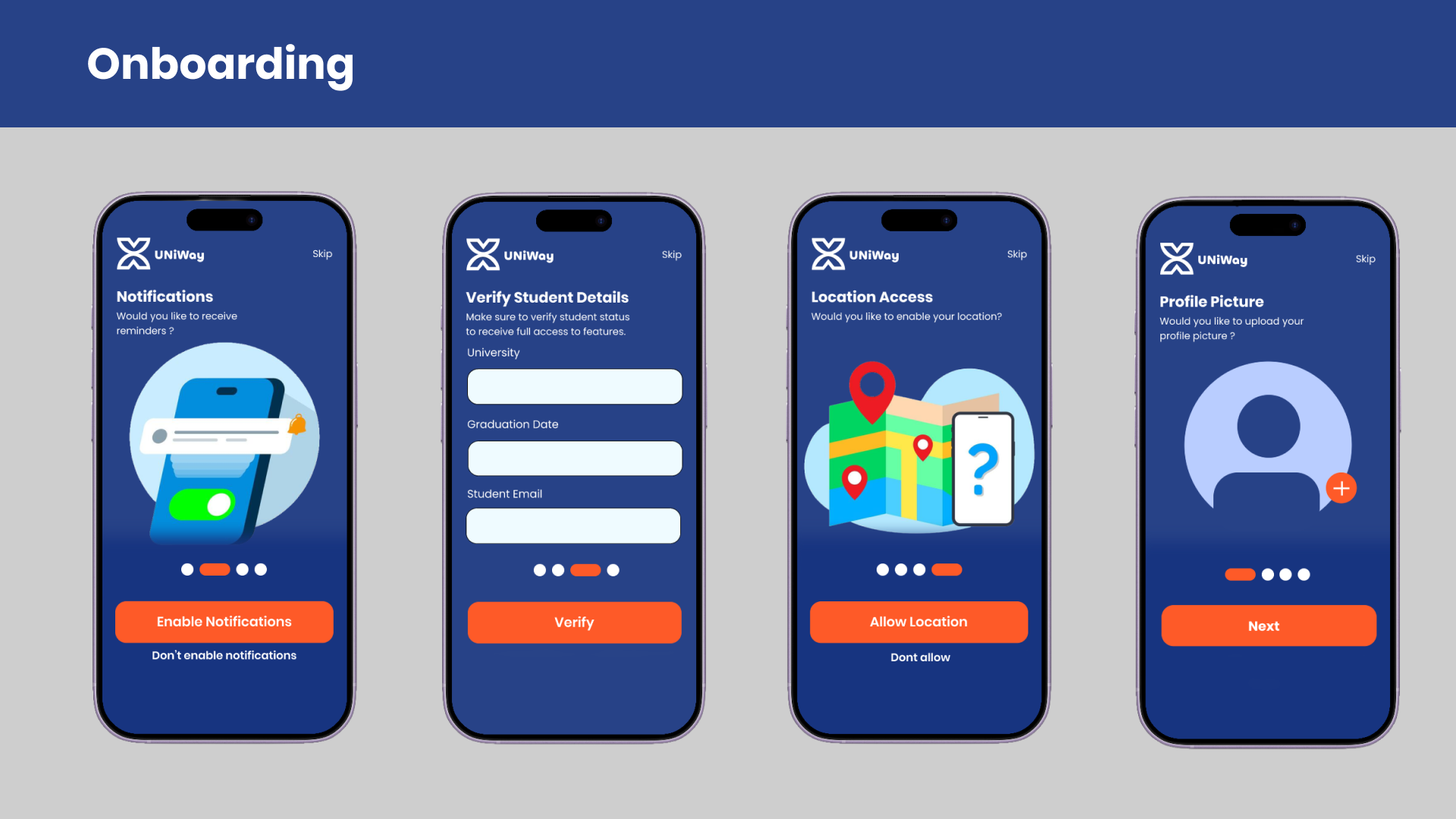
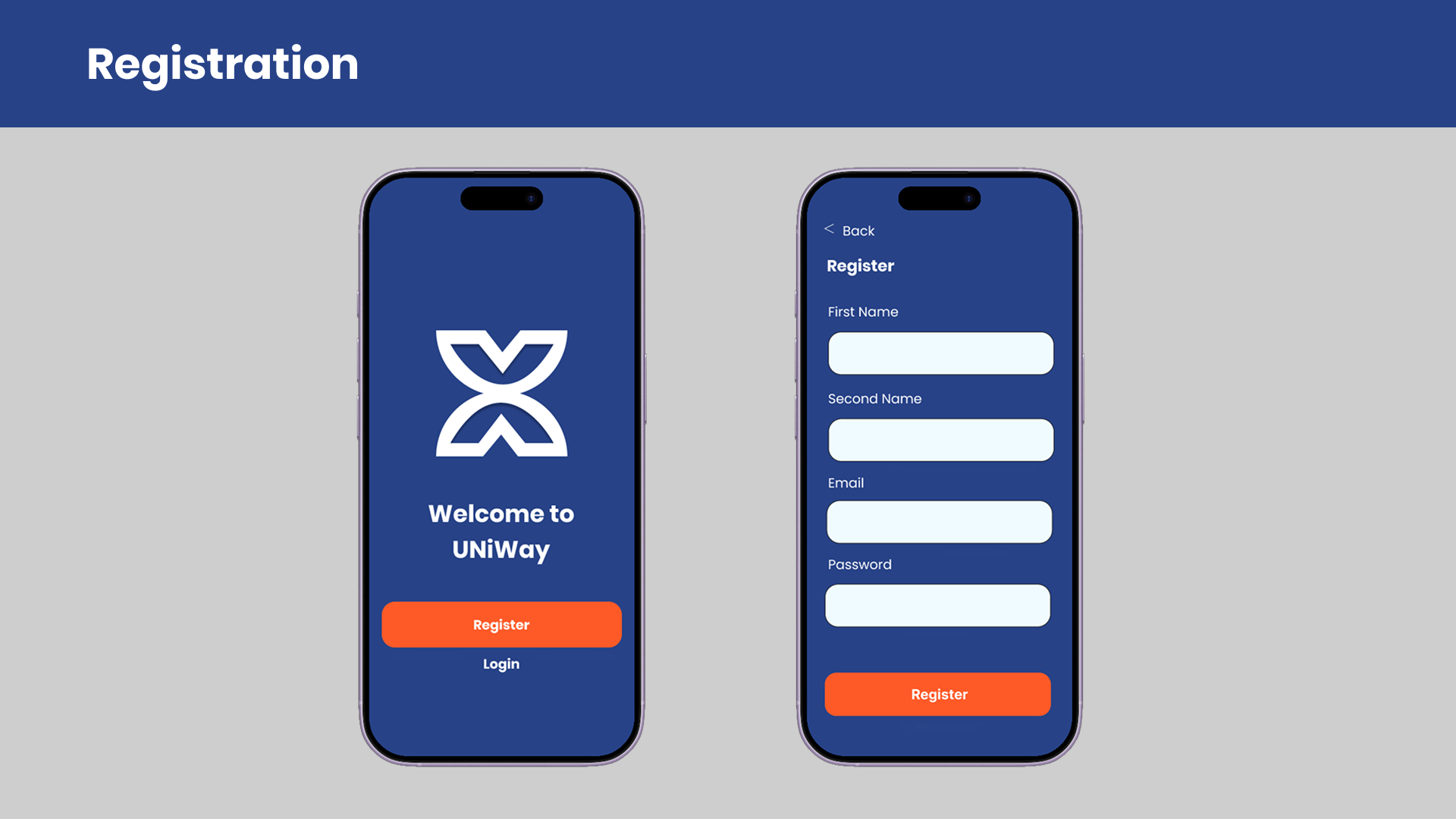
The onboarding user flow was designed to make getting started as quick and straightforward as possible. I only asked users for the information needed to personalise their experience, while keeping optional steps like adding a profile picture or turning on notifications easy to skip. Student verification was included to unlock university-specific features, helping users get from creating an account to using the app without unnecessary steps.
Wireframes
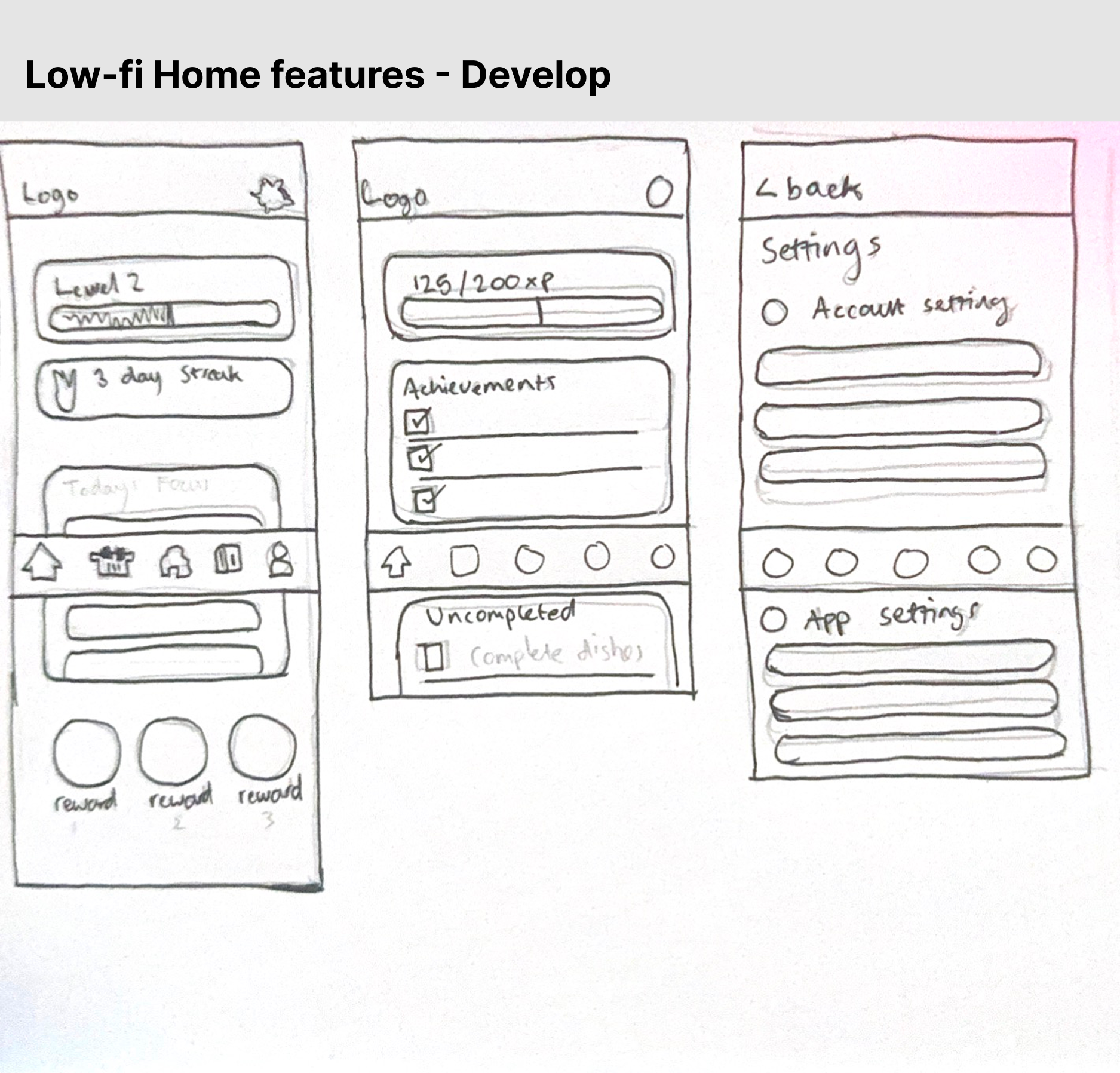
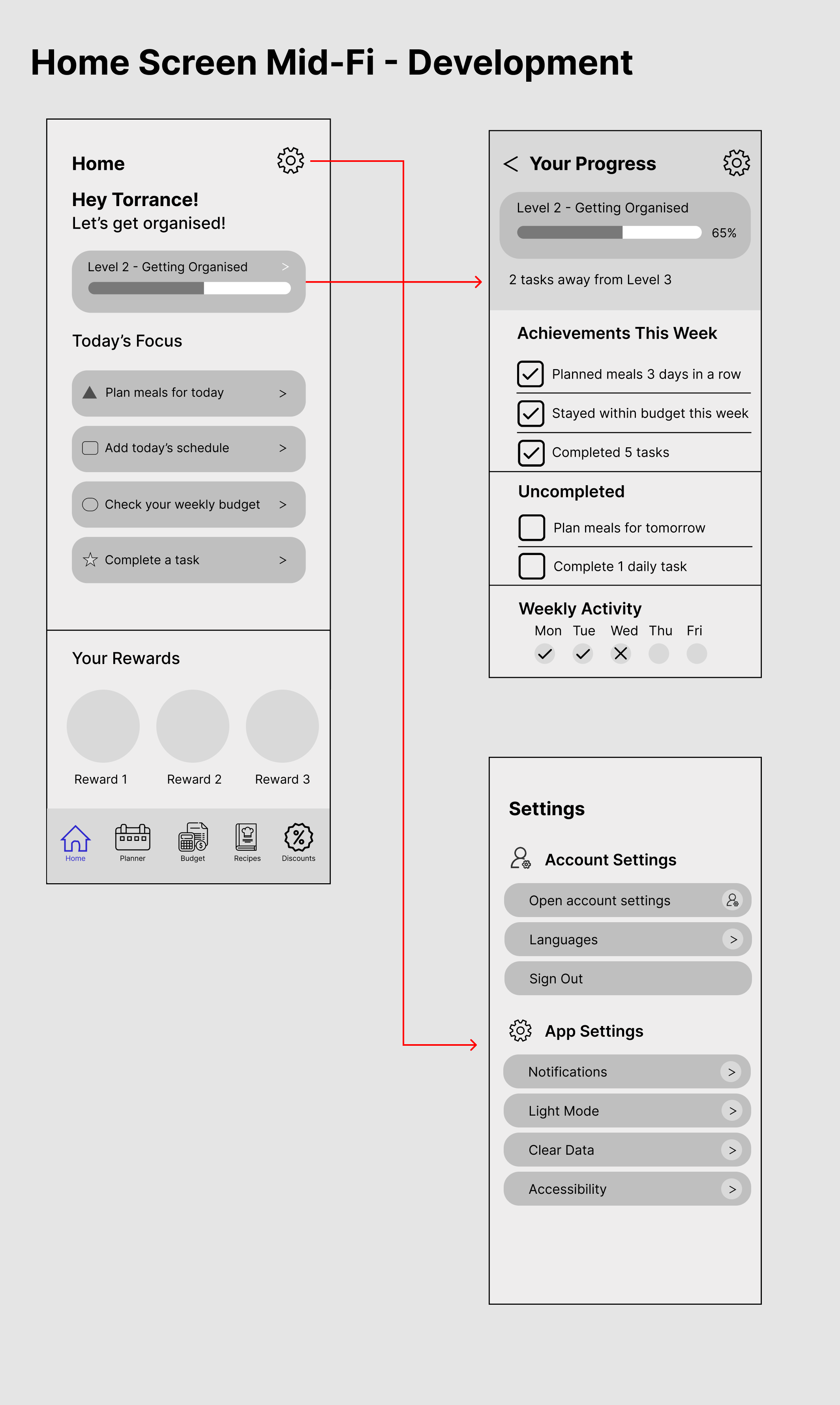
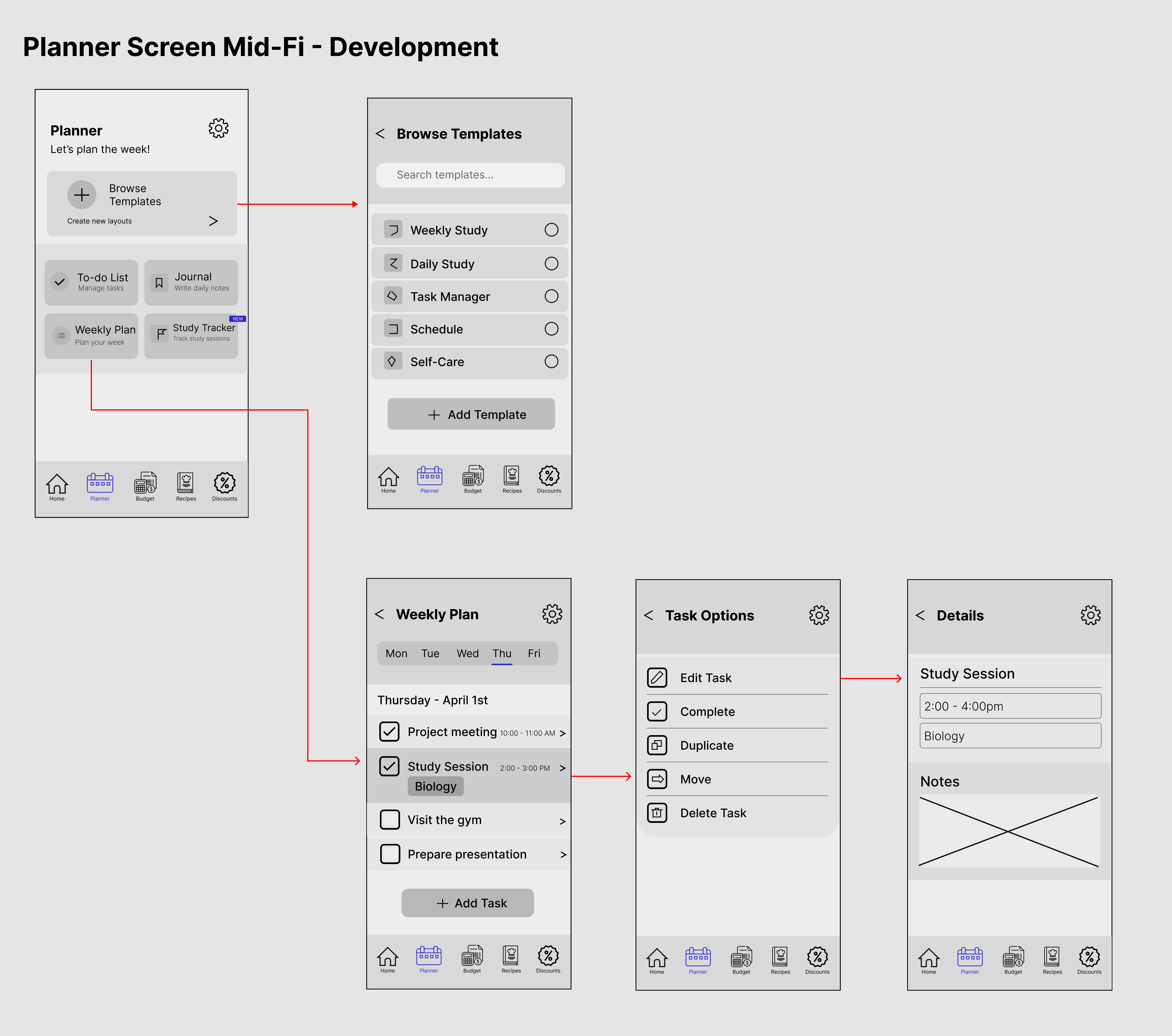
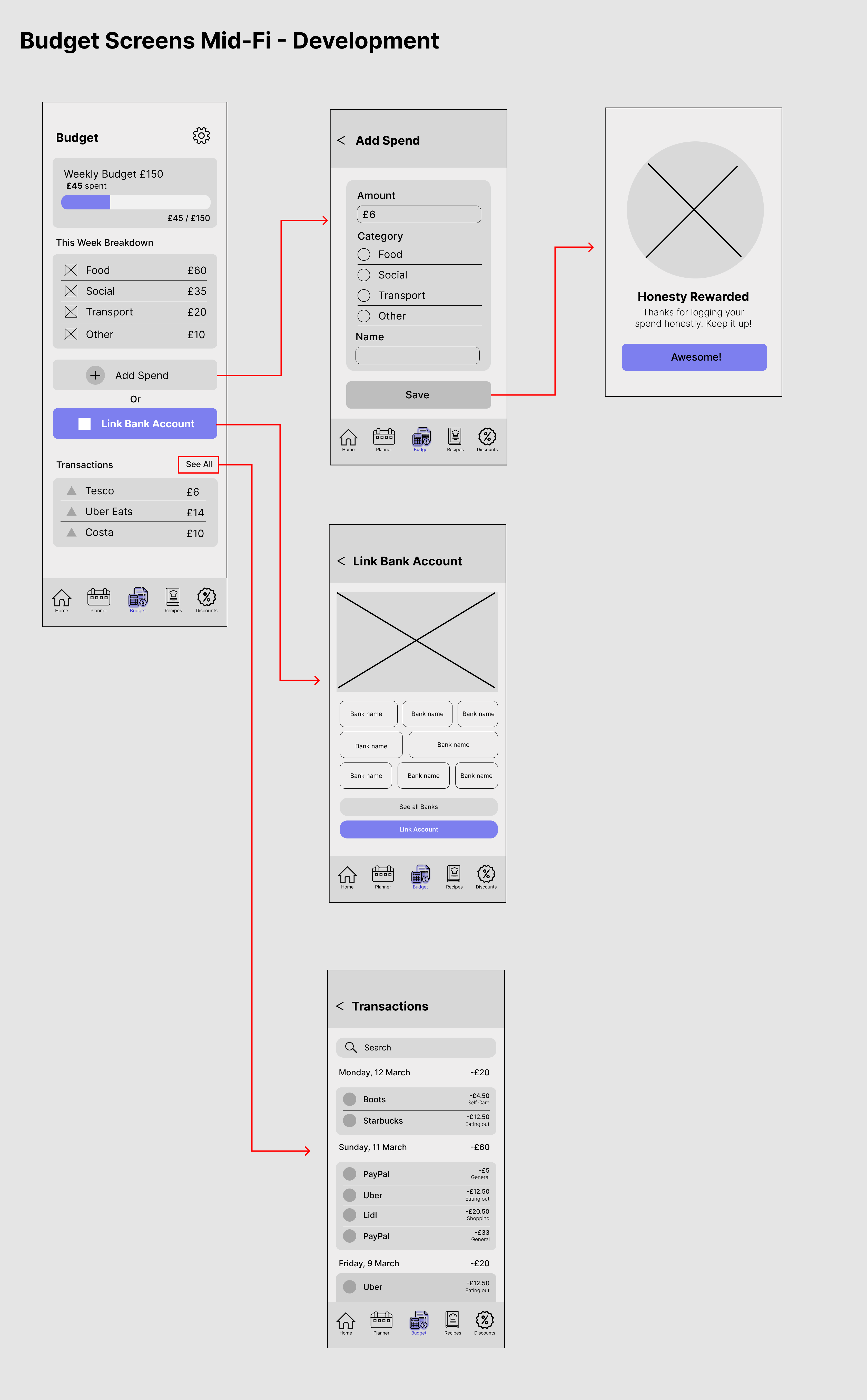
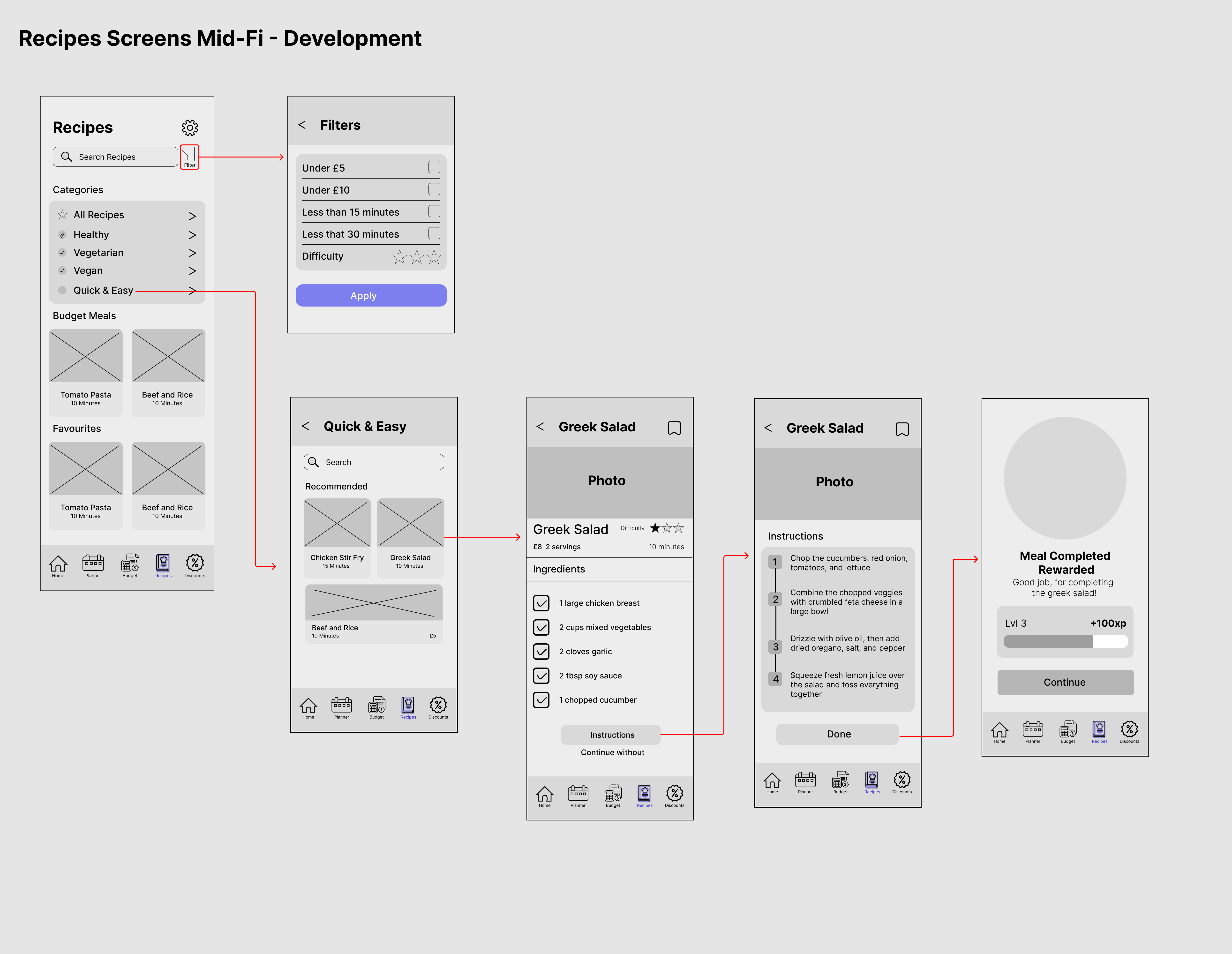
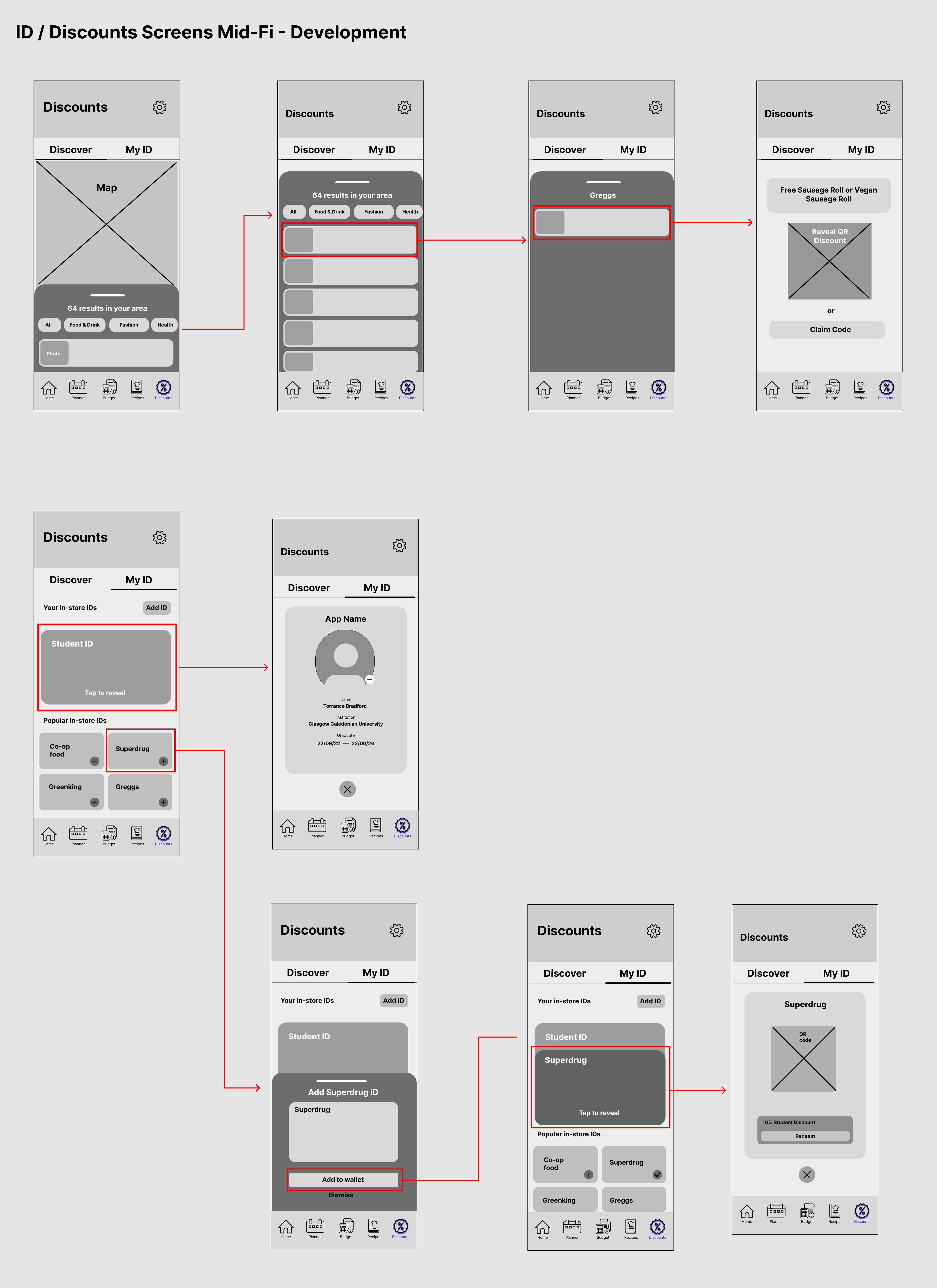
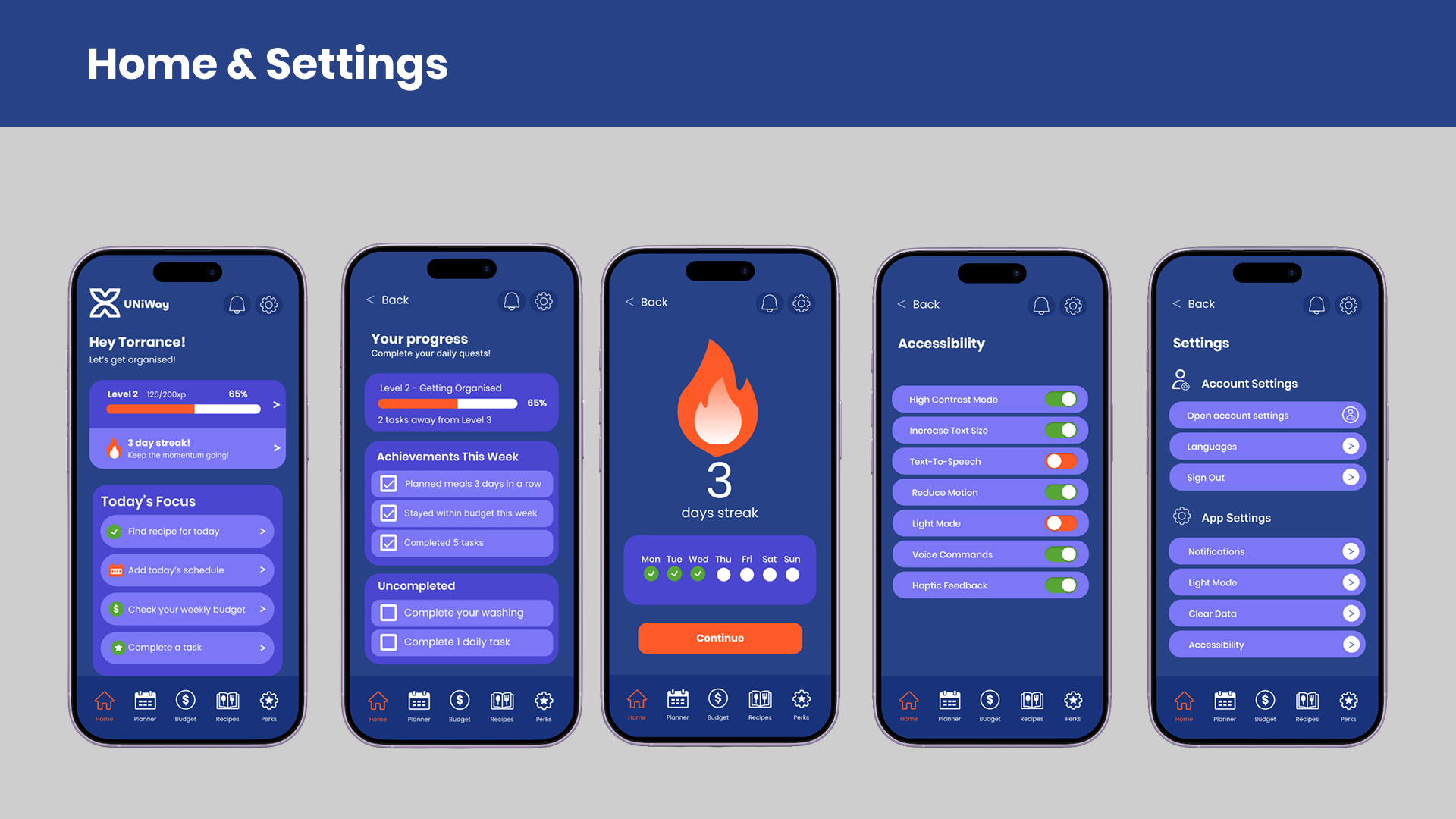
I started by creating low-fidelity then mid-fidelity wireframes to plan the layout, navigation and overall structure of the app. Exploring different ideas at this stage made it easier to test how everything worked before focusing on the visual design. After making changes based on feedback and usability testing, I developed the final high-fidelity screens.
Brand Identity
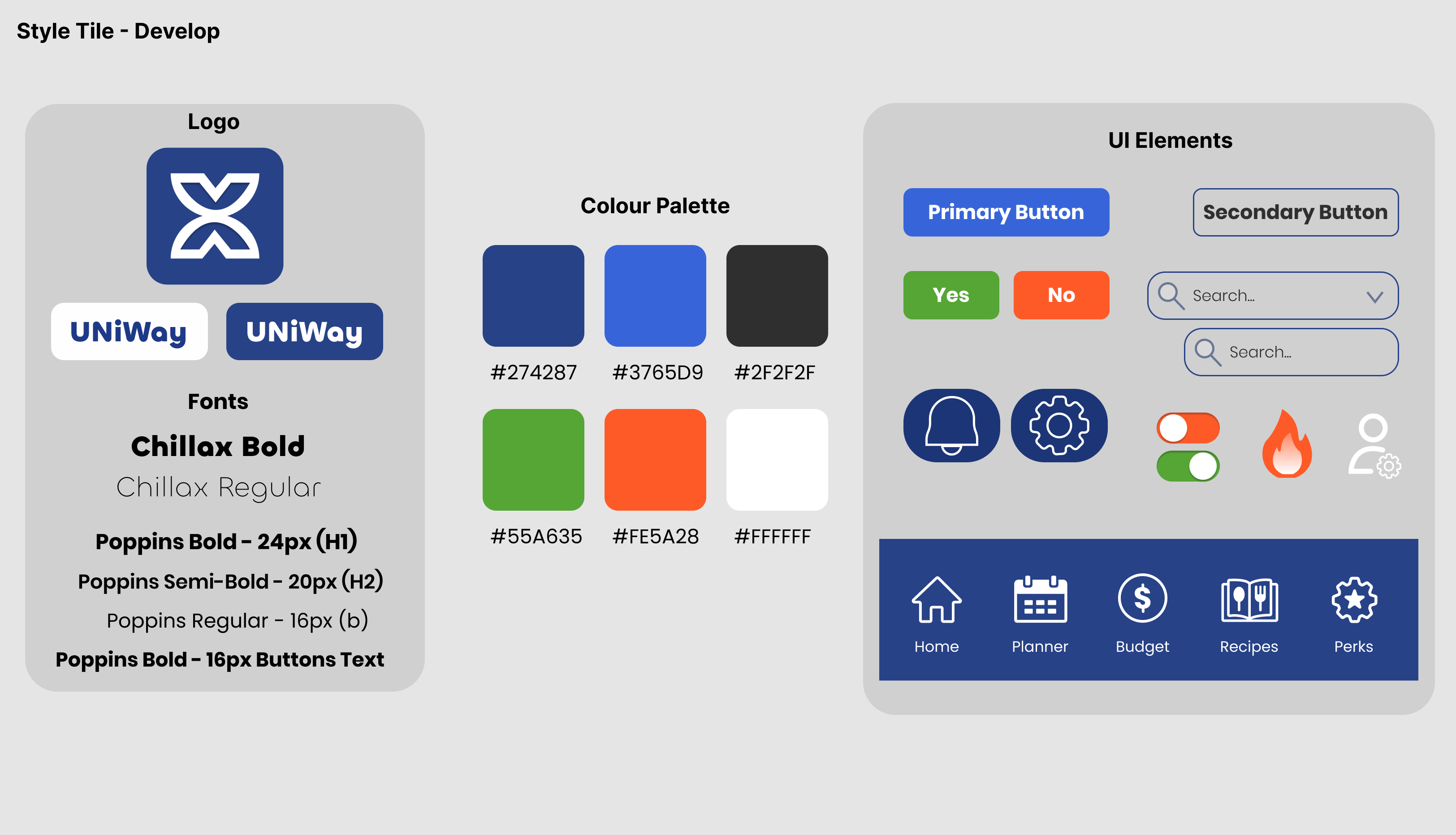
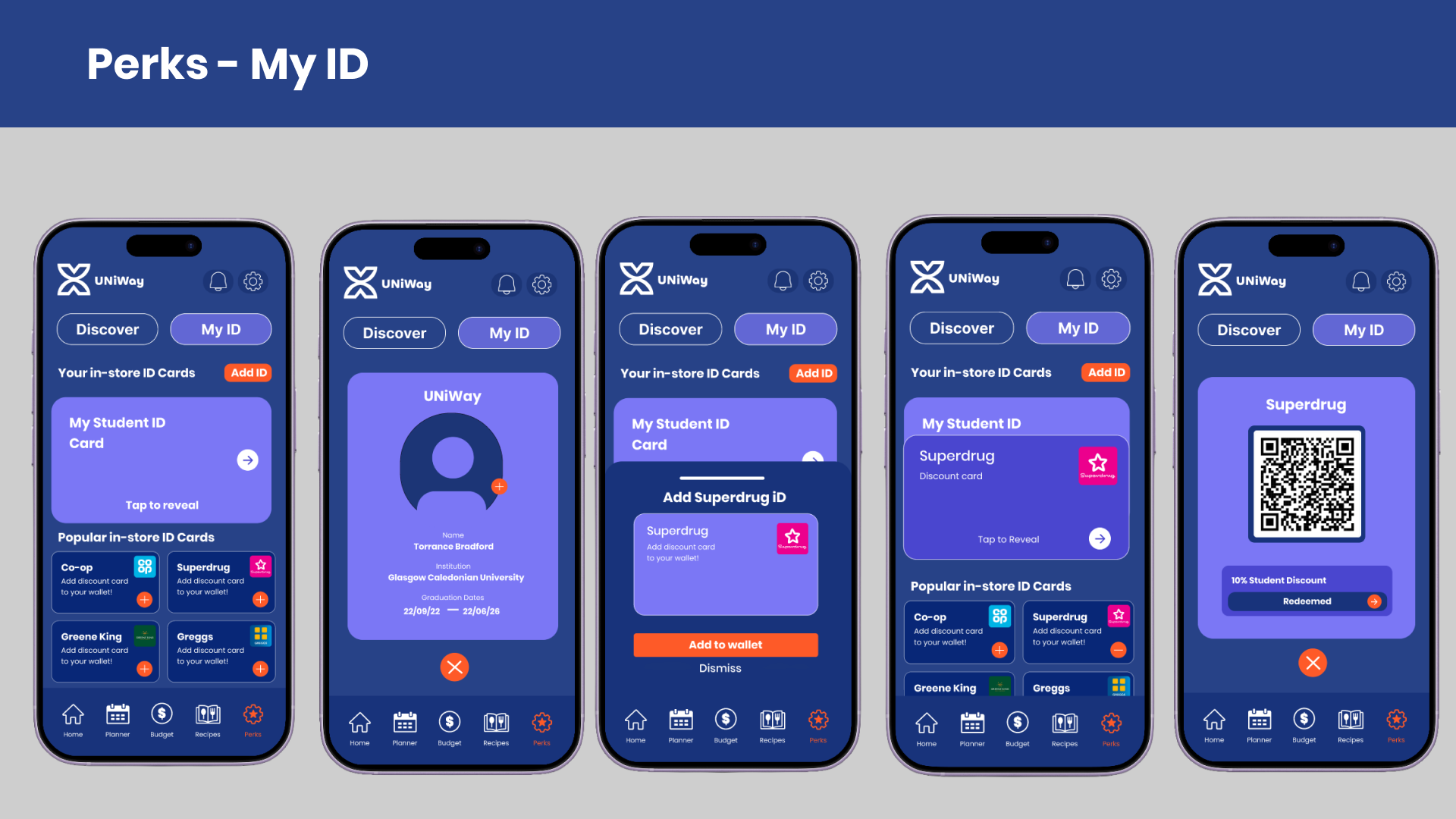
The visual style was designed to make UNiWays feel friendly, approachable and easy to use. I chose a bright colour palette, clear typography and consistent interface elements to create a look that feels modern while making the app simple to navigate. Keeping these elements consistent across every screen also helped give the app a stronger visual identity.
Final Interface Screens
Interactive Prototype
https://www.figma.com/design/AHBaO8zr03WMVd82iPhpce/Prototype?node-id=31-2&p=f&t=Tv2QWvnihZOEzwXe-0
Outcome
UNiWays brings together the research, testing and UX design work from this project into a practical app that helps students manage everyday life. Every design decision was based on user feedback and focused on creating an experience that feels simple, intuitive and easy to use. By combining UX principles with the real challenges students face, I designed a solution that supports budgeting, organisation and building healthy routines in a way that fits naturally into everyday lif
Selected projects